 The NetBeans IDE is a free, open-source Integrated Development Environment for software developers. You get all the tools you need to create professional desktop, enterprise, web and mobile applications, in Java, C/C++ and even Ruby. The IDE runs on many platforms including Windows, Linux, Mac OS X and Solaris; it is easy to install and use straight out of the box.
 The 6.0 release includes significant enhancements and new features, including a completely rewritten editor infrastructure, support for additional languages, new productivity features, and a simplified installation process that allows you to easily install and configure the IDE to meet your exact needs.
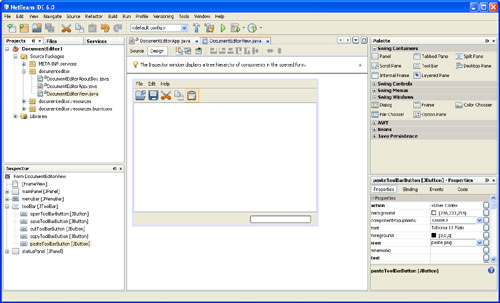
Create professional-looking Java GUIs by placing and aligning components on a canvas.
- Professional GUI Building
- Standard and Custom GUI Components
- Beans Building Technology (JSR 295) Support
- Swing Application Framework (JSR 296) support
Build standards-based web applications visually using Ajax, CSS, and JSF. Full set of tools for EJB development. Write standards-based web and enterprise applications that can be accessed with a web browser over the internet or an intranet.
- Web and Enterprise Application Development
- Easy Migration from Java Studio Creator
Create, test and debug GUI applications that run on mobile phones, set-top boxes, and PDAs
- Visual Mobile Designer
- Mobile Game Builder
- Modular Build System
- A Solution for the Device Fragmentation Issues
- Access to Web Driven Services
- SVG Support
- Integrated Tools
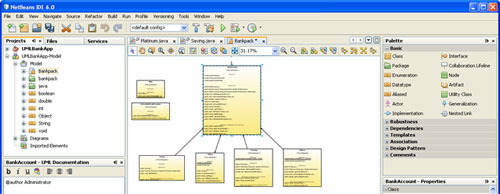
Separate software design from implementation with UML Modeling.
- Forwar and Reverse Engeenering
- UML Diagram Types
- Customizable Code Generation
- Integrated UML Tools
Ruby and Rails Support
Powerful Ruby editor (with code completion), debugger, and full support for Rails. Includes the JRuby runtime.
- Ruby Projects
- Ruby Source Code Editor
- Ruby on Rails Projects
- Ruby and Rails Debugger
- Ruby Gems Installation Manager
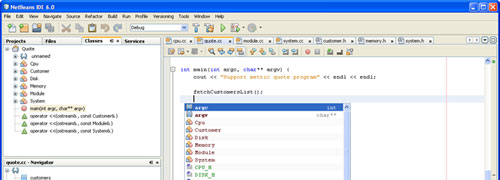
Full-featured C/C++ editor, debugger, project templates, and support for multiple project configuration. Develop professional native applications in C and C++ for a variety of platforms including Windows, Linux, Mac OS, and Solaris operating systems.
- C/C++ Projects
- C/C++ Templates
- Source Code Editor
- Integrated Debugger
- Compiler Configurations
- Configuration Manager
- Makefile support
- Class Hiearachy Browser
- File Navigation
- License: Free Open Source
- Requirements: Windows 98/Me/NT/2000/XP/2003 Server/Vista
- Limitations: No limitations
- Publisher link: NetBeans.org
- Download link: NetBeans 6.0 Full Version (196 MB)
- Download link: NetBeans 6.0 Web and Java EE (96 MB)
- Download link: NetBeans 6.0 Mobility (58 MB)
- Download link: NetBeans 6.0 Java SE (21 MB)
- Download link: NetBeans 6.0 Ruby (19 MB)
- Download link: NetBeans 6.0 C/C++ (11 MB)
JDK 6 or JDK 5.0 is required for installing and running the NetBeans IDE. You can download the JDK here.
You can also download the NetBeans IDE as part of the Java EE 5 Tools Bundle.