Showing posts with label Office Suites. Show all posts

AbiWord 2.4.6.

AbiWord is rapidly becoming a state of the art Word Processor, with lots of features useful for your daily work, personal needs, or for just some good old typing fun. This tour gives you a quick look into some of AbiWord's highlights.


Cross Platform

Multi Platform

Enjoy your favorite Word Processor on the operating system you like to use - be it Windows, Linux, QNX, FreeBSD or Solaris.

AbiWord has been designed to integrate perfectly with the operating system it runs on. It will take advantage of the functionality provided by the system, such as image loading or printing capabilities.


Interoperability

What use is a Word Processor when you can't share your documents with your friends? AbiWord is able to read and write all industry standard document types, such as OpenOffice.org documents, Microsoft Word documents, WordPerfect documents, Rich Text Format documents, HTML web pages and many more.

Interoperability

Advanced layout

Advanced Document Layout

Give your document that professional, scientific or fun-to-read look using AbiWord's advanced document layout options. Use tables, bullets, lists, images, footnotes, endnotes and styles to enhance the way your document looks.


Internationalization

Since not everyone in the world speaks the same language, AbiWord comes in many different languages. AbiWord is available in most common and many not-so-common languages.

Make sure your document contains none of those nasty spelling errors by using AbiWord's built-in spelling checker. Dictionaries exist for over 30 languages.

AbiWord supports right-to-left, left-to-right, and mixed-mode text. This means that in addition to supporting European languages, AbiWord supports languages like Hebrew and Arabic as well.

Internationalization

Mail Merge

Mail Merge

Do you also hate writing tens of thousands form letters by hand? With AbiWord's Mail Merge capabilities, you can let AbiWord automate that job for you. Special fields inserted into a template document can automatically be replaced with data coming from a variety of sources, such as Relational Databases, Comma Separated Text files or Tabbed Text files.

To facilitate the use of AbiWord in a server environment, a powerful command line interface to AbiWord is available. This allows you to generate form letters, print documents or convert documents to any file format AbiWord supports - all from the command line!


Extensible Plugin Architecture

The main AbiWord program is very small and requires very little resources to run. This allows AbiWord to be used on systems that are not considered "State of the Art" anymore, which comes all too quickly in the IT world.

Our plugin system was designed to give AbiWord all the functionality you might expect from a modern Word Processor. A variety of plugins can be used to extend AbiWord's functionality, ranging from Document Importers to a Thesaurus, Image Importers and a Text Summarizer.

Source About AbiWord
  • License: Free
  • Requirements: Windows 95/98/Me/NT/2000/XP/2003 Server/Vista
  • Limitations: No limitations
  • Publisher link: AbiSource
  • Download link: AbiWord 2.4.6 (5.2 MB)
OpenOffice.org 2.3.1

OpenOffice.org 2 is the leading open-source office software suite application for word processing, spreadsheets, presentations, graphics, databases and more.

It stores all your data in an international open standard format(OpenDocument standard) and can also read and write files from other common office software packages(like Microsoft Office '97-2003 formats, among many others). It can be downloaded and used completely free of charge for any purpose(it's available under the GNU Lesser General Public License).

OpenOffice.org is a collection of applications that work together closely to provide the features expected from a modern office suite. Many of the components are designed to mirror those available in Microsoft Office.

The components available include:
  • WriterA - word processor
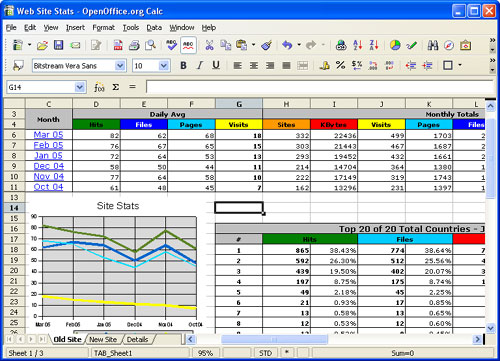
  • CalcA - spreadsheet
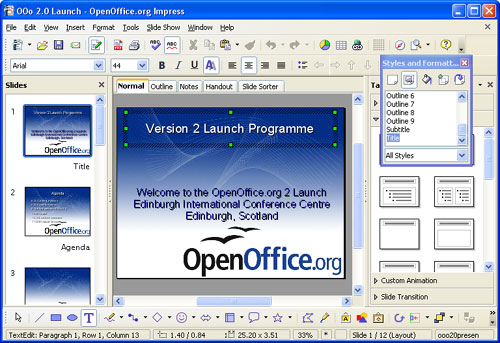
  • ImpressA - presentation program
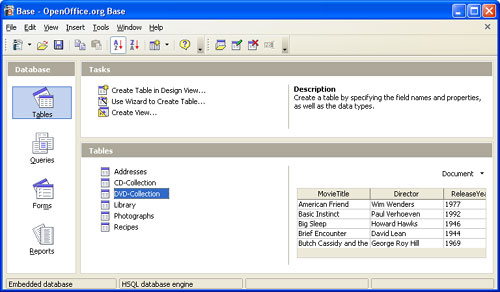
  • BaseA - database program
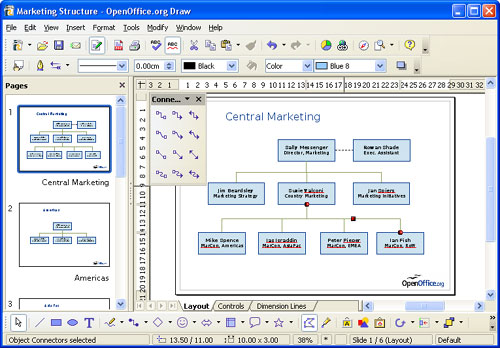
  • DrawA - vector graphics editor
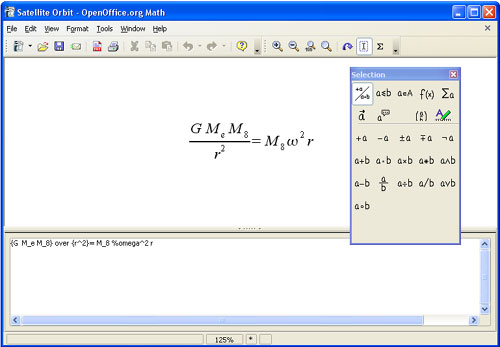
  • MathA - creating and editing mathematical formulas

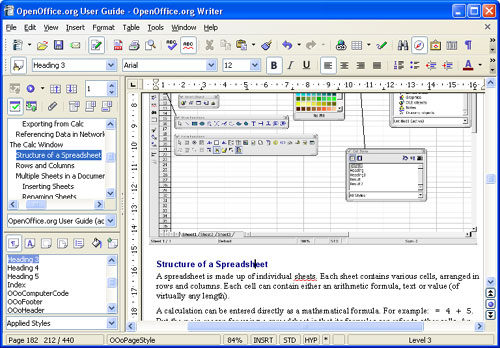
WriterAWriterA word processor similar in look and feel to Microsoft Word and offering a comparable range of functions and tools. It also includes the ability to export Portable Document Format (PDF) files with no additional software, and can also function as a WYSIWYG editor for creating and editing web pages. One important difference between Writer and Microsoft Word is that in Writer, many functions and number formats from Calc (below) are available in Writer’s tables.


CalcACalcA spreadsheet similar to Microsoft Excel with a roughly equivalent range of features. Calc provides a number of features not present in Excel, including a system which automatically defines series for graphing, based on the layout of the user’s data. Calc is also capable of writing spreadsheets directly as a PDF file.


ImpressAImpressA presentation program similar to Microsoft PowerPoint. It can export presentations to Adobe Flash (SWF) files allowing them to be played on any computer with the Flash player installed. It also includes the ability to create PDF files, and the ability to read Microsoft PowerPoint's .ppt format. Impress suffers from a lack of ready-made presentation designs. However, templates are readily available on the Internet.


BaseABaseA database program similar to Microsoft Access. Base allows the creation and manipulation of databases, and the building of forms and reports to provide easy access to data for end-users. As with Access, Base may be used as a front-end to a number of different database systems, including Access databases (JET), ODBC data sources and MySQL/PostgreSQL.
Base became part of the suite starting with version 2.0. Native to the OpenOffice.org suite is an adaptation of HSQL. While ooBase can be a front-end for any of the databases listed, there is no need for any of them to be installed.


DrawADrawA vector graphics editor comparable in features to CorelDRAW. It features versatile "connectors" between shapes, which are available in a range of line styles and facilitate building drawings such as flowcharts.
It has similar features to Desktop publishing software such as Scribus and Microsoft Publisher.


MathAMathA tool for creating and editing mathematical formulas, similar to Microsoft Equation Editor. Formulas can be embedded inside other OpenOffice.org documents, such as those created by Writer. It supports multiple fonts and can export to PDF.