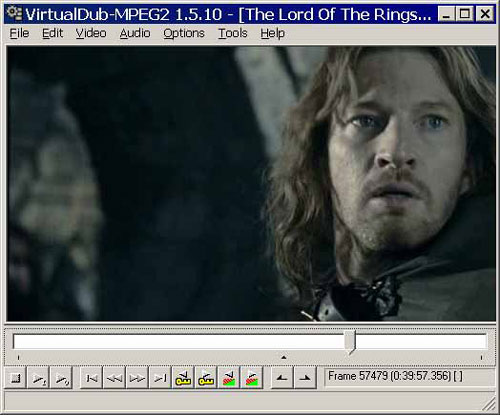
VirtualDub is a
video capture and
linear video editing tool for
Microsoft Windows. Released under the terms of the
GNU General Public License and hosted on
SourceForge.net, VirtualDub is
free software.
VirtualDub has many advanced features,it is able to use plugins to add different video processing techniques, and can process *.avi files, if the required video and audio codecs are installed.
VirtualDub comes with a number of filters. Examples include reducing the video size by half, converting the video to grayscale, arbitrary rotation and about a dozen more. Plugin filters further extend VirtualDub's capabilities.
In addition to filters, entire image
sequences can be saved to hard disk as BMP or TGA files. From there, the images can be modified modifications added later. In addition,
the sound track can be extracted from a video, and modifications made to it; filters can be applied before the track is spliced back in. Frame sequences and sound tracks must be edited in external software programs.
VirtualDub can also
help overcome a common problem with digital cameras that also record video. Many models, especially Canon, record in an M-JPEG format that is virtually incompatible with some NLE programs, such as Vegas 6.0 and 7.0; simply saving such an AVI file as an "old-style AVI" in File allows the video to appear in Vegas.
VirtualDub can also be used to
create a video file from a series of bitmaps or targas. Individual frames are created in an external graphics program like Paintshop Pro, Photoshop, or the GIMP, or a series from a digital stills camera. The images must be in sequential order without any missing numbers (e.g. 001.bmp, 002.bmp, 003.bmp...). From those, the frame rate can be adjusted, and other modifications such as the addition of a sound track can be made.
VirtualDub has
excellent digital and analog capture capabilities. It supports both DirectShow & Video for Windows capture.
Capture features include capture to any AVI (only) variant, audio VU meters, overlay and preview modes, histogram, selectable crop area, video noise reduction, auto stop settings (based on capture time, file size, free space, and/or dropped frames), and designate alternate drive(s) for capture overflow.
VirtualDub supports DV capture from Type 2 (VfW) FireWire controllers only (capture will not work with Type 1). There is no DV batch capture, still image capture, or DV device control capability.